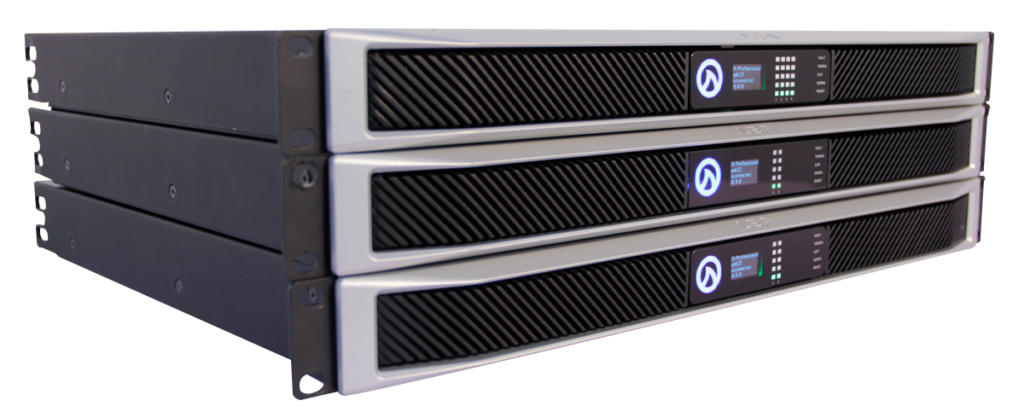
The CONNECTSERIES family of amplifiers are able to utilize a built-in wireless access point, to connect and configure amplifier settings. Using AP Mode to connect to the CONNECTSERIES amplifiers is great for quick amplifier setup when there is no pre-existing network to connect to. In AP Mode you can only connect and control one amplifier at a time. AP Mode is also a good way to quickly access the amplifiers network settings in order to configure it for connection via a standard Wi-Fi network.
With the CONNECTSERIES amplifier powered on and active (blue Shark Fin), press the “Wi-Fi” button on the back panel of the unit.
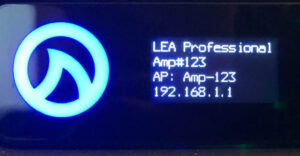
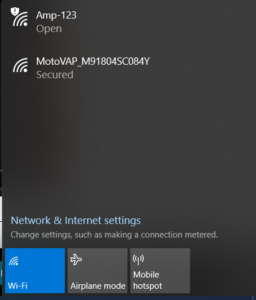
The front panel will display an AP name and an IP Address. On your computer or mobile device, go to your network Wi-Fi settings and select the AP name that matches the name given on your amplifier display.
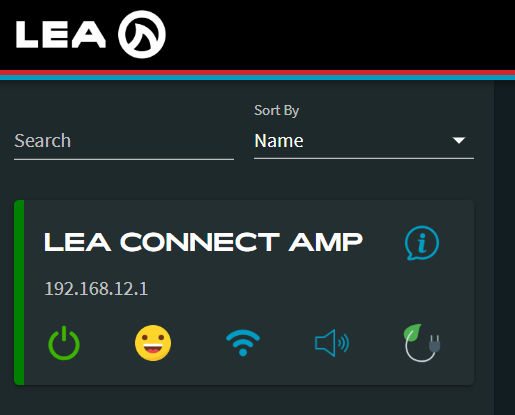
Once connected to the AP, go to your computer or mobile device web browser and type in the IP address shown on the front panel display of your amplifier unit and hit enter.
Now you are connected to the amplifier via AP Mode.
If you experience any issues connecting to AP Mode or have any questions or feedback, please leave a comment below or reach out to us on our social media channels.
If you have any questions or feedback about connecting our CONNECTSERIESamps to Access Point Mode, feel free to leave them in the comments below or reach out to us on our social media channels.
Want more LEA content delivered directly to your inbox? Enter your email address below to be subscribed to our monthly newsletter and keep up with all of the latest news and content from LEA Professional.
This website uses cookies to improve your experience. We'll assume you're ok with this, but you can opt-out if you wish.AcceptRejectRead More
Privacy & Cookies Policy
Privacy Overview
This website uses cookies to improve your experience while you navigate through the website. Out of these, the cookies that are categorized as necessary are stored on your browser as they are essential for the working of basic functionalities of the website. We also use third-party cookies that help us analyze and understand how you use this website. These cookies will be stored in your browser only with your consent. You also have the option to opt-out of these cookies. But opting out of some of these cookies may affect your browsing experience.
Necessary cookies are absolutely essential for the website to function properly. This category only includes cookies that ensures basic functionalities and security features of the website. These cookies do not store any personal information.
Any cookies that may not be particularly necessary for the website to function and is used specifically to collect user personal data via analytics, ads, other embedded contents are termed as non-necessary cookies. It is mandatory to procure user consent prior to running these cookies on your website.