Connect Series LEDs: The Colors of the Shark Fin Explained
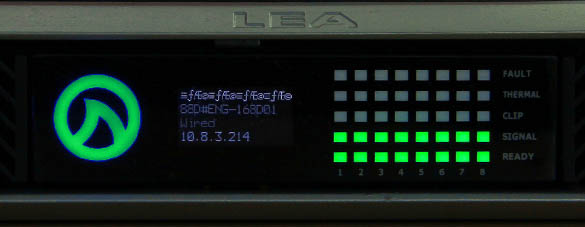
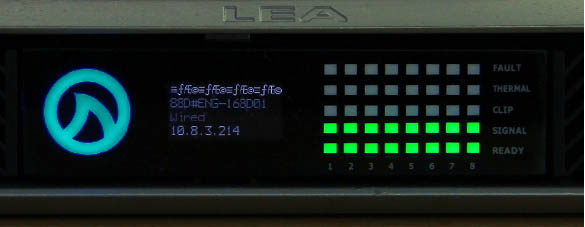
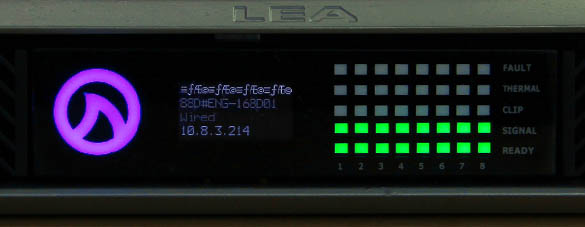
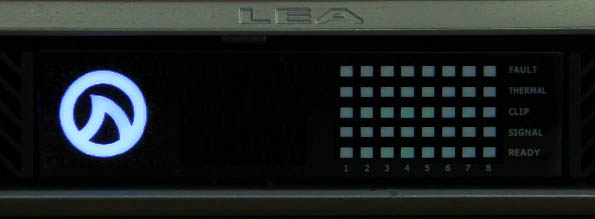
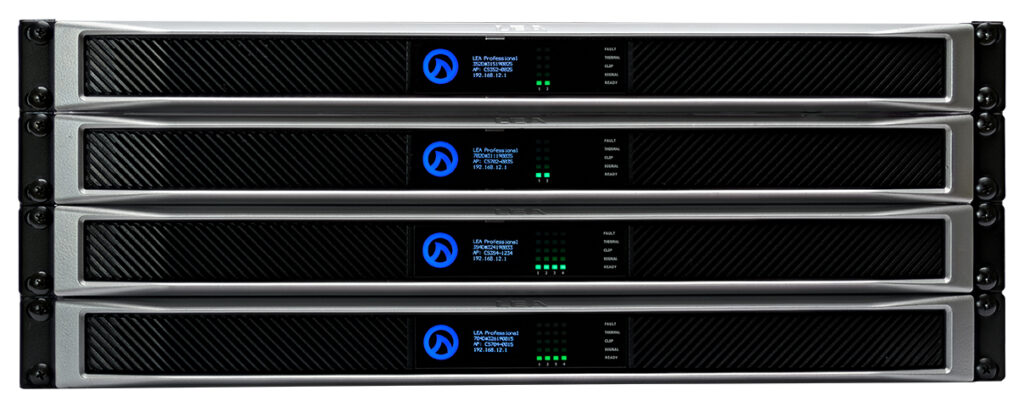
Our CONNECTSERIES amplifiers are intentionally designed with no front panel knobs, buttons, or controls. The reason for this was to maintain a sleek and industrial design while also preventing any unwanted tampering or adjustments to the user settings. However, we did want the front panel to include an array of information that would help installers quickly check the status of their units. One of those status features is the actual Shark Fin logo itself. The Shark Fin logo located on the front panel of the amplifier changes between four main colors, each of which indicates a different amplifier state. The Shark Fin logo will illuminate GREEN when AC power is plugged in but the unit is off, BLUE when the unit is on, CYAN when the units is undergoing a factory reset, and MAGENTA when the unit is undergoing a firmware update.
Let’s dive in and take a closer look at each of these states…
The Colors of the Shark Fin: Four States
GREEN
As stated above, the GREEN Shark Fin indicates that the amp is plugged in and receiving power from an AC power source. When the Fin is GREEN, the unit is not on and therefore will not pass audio or show up in the Web UI or Cloud platform for control and monitoring.
Aside from indicating the presence of AC power, there is one other circumstance where you will encounter a GREEN Shark Fin…
Whenever the unit is undergoing the firmware updating process, the Shark Fin illuminates MAGENTA to indicate that the update is in progress. There are various stages that take place during a firmware update. Upon the completion of each individual stage, the Shark Fin will flash GREEN to indicate that the stage was completed successfully before returning to MAGENTA to continue on with the rest of the update.
BLUE
A BLUE Shark Fin indicates that the unit is powered on and able to pass audio. This is also the state where you will be able to connect to the unit via the Web UI or Cloud platform to control, monitoring, and configure the amplifier.
CYAN
A CYAN Shark Fin indicates that the amplifier is undergoing a factory reset. Once the reset is complete, the Shark Fin will return to the darker, BLUE color indicating that it is on and ready to pass audio.
MAGENTA
A MAGENTA Shark Fin indicates that the amplifier is undergoing a firmware update. Once the update is complete, the Shark Fin will return to the BLUE color indicating that is is on and ready to pass audio.
Other Color Indicators
RED
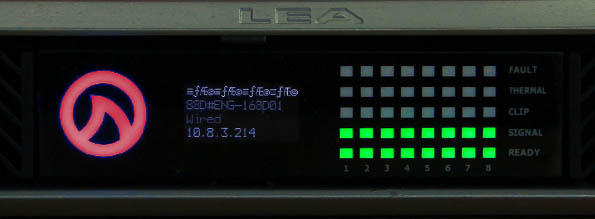
Another less common indicator is the RED Shark Fin. You will likely not encounter this indication however if you do, it will be during the firmware updating process.
If you see a RED Shark Fin LED, there may have been an error in the firmware update process. The amplifier will retry the firmware update on its own up to ten times to correct the issue, but you should check the versions after the reboot to verify it was successful.
WHITE
The very last indication that is almost not even worth mentioning is the WHITE Fin. When the unit is powered off, and unplugged, the Shark Fin will not illuminate at all. The absence of a light leaves the Fin a white color. Hopefully, you figured this one out on your own.
If you have any question or feedback about CONNECTSERIES LEDs, feel free to leave them in the comments below or reach out to us on our social media channels.
Want more LEA content delivered directly to your inbox? Enter your email address below to be subscribed to our monthly newsletter and keep up with all of the latest news and content from LEA Professional.
This website uses cookies to improve your experience. We'll assume you're ok with this, but you can opt-out if you wish.AcceptRejectRead More
Privacy & Cookies Policy
Privacy Overview
This website uses cookies to improve your experience while you navigate through the website. Out of these, the cookies that are categorized as necessary are stored on your browser as they are essential for the working of basic functionalities of the website. We also use third-party cookies that help us analyze and understand how you use this website. These cookies will be stored in your browser only with your consent. You also have the option to opt-out of these cookies. But opting out of some of these cookies may affect your browsing experience.
Necessary cookies are absolutely essential for the website to function properly. This category only includes cookies that ensures basic functionalities and security features of the website. These cookies do not store any personal information.
Any cookies that may not be particularly necessary for the website to function and is used specifically to collect user personal data via analytics, ads, other embedded contents are termed as non-necessary cookies. It is mandatory to procure user consent prior to running these cookies on your website.